Introduction

  1. Ci1emy66YxoULWo2
    • To release the battery, depress the battery release with a nylon spudger. Hold the latch down and slide it over.

  2. cuGAhIN6J62ZLpTA
    • Firmly grab hold of the battery and slide it out of the laptop.

  3. JgiZoOkQ1L3ReOPO
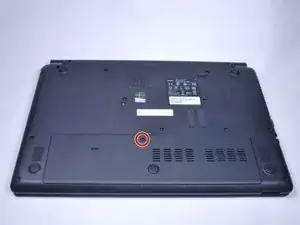
    • Remove the M2.5x8 screw with a PH1 screwdriver.

  4. lwDbYN4DalHEJipF
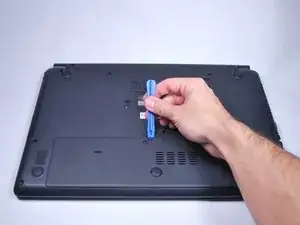
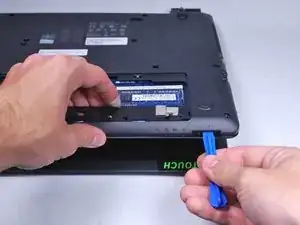
    • Use the plastic opening tool to pop off the small back cover.

  5. YARXjvM22xPd3SYA
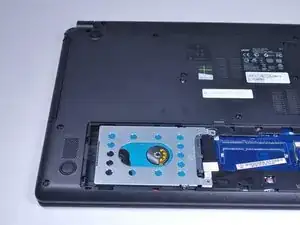
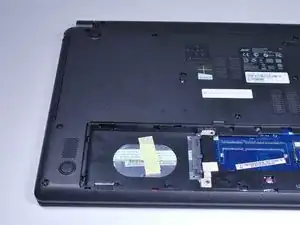
    • Use a PH0 Phillips screwdriver to remove the screw securing the hard drive.

  6. 1LrxWBPbonqC32NF
    1LrxWBPbonqC32NF
    ityaLXRJucgaosgG
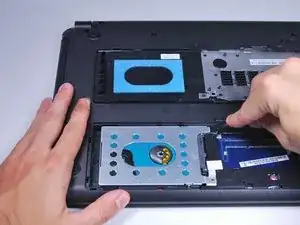
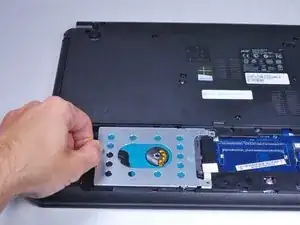
    • Use a nylon spudger to slightly pry up the hard drive near the screw holes.

  7. UwND5nuoqc153EHP
    UwND5nuoqc153EHP
    HhDtQeYKycmMP6EZ
    BdbDcPKeYCGjECT4
    • Grab hold of the plastic tab and pull the hard drive away from the connectors. This will release the hard drive.

    • The hard drive connector is fragile. Handle with care.

  8. JmwoHifxudW6IdO4
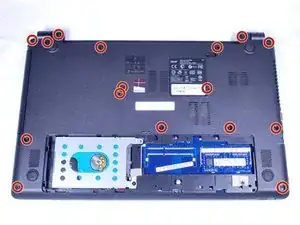
    • Remove the fourteen M2.5x8 screws highlighted in the picture with a PH0 Phillips screwdriver.

  9. SR3a2MyPOkCp2chY
    • Slide out the disk drive tray.

  10. aQiiGYQMvVyqOGDg
    • Use the plastic opening tool to gently pry open the laptop.

  11. bheRS2FPYqpNgEak
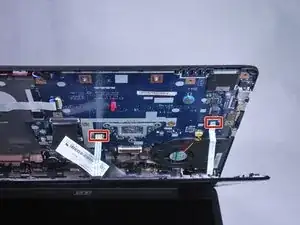
    • Slowly rotate the back cover up to reveal cables attached to the motherboard.

    • Carefully slide the connectors out of their receptacle to remove the back panel.

    • The connectors are very small and fragile. Handle with care.

  12. NRbfHs2PZJQncCek
    NRbfHs2PZJQncCek
    cJ6nK1nYRoPrUyOA
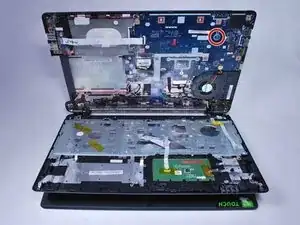
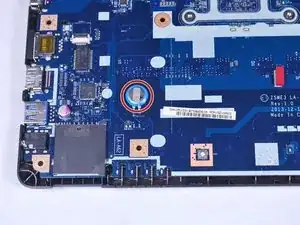
    • Open the up the laptop to reveal the CMOS battery.

    • Desolder the CMOS battery to remove it. For soldering help, check out iFixit's soldering guide.

Conclusion

To reassemble your device, follow these instructions in reverse order.

Caleb lindsay

Membre depuis le 11/04/16

778 Réputation

2 commentaires

molto utile e ben fatta, anche se il mio problema è più legato alla alimentazione che pare non funzionare anche senza batteria

Franco Ferrandi -

It'd be really handy if you were to list the model number of the CMOS battery so we can order one in advance.

Dave Compton (SirCompo) -