Introduction

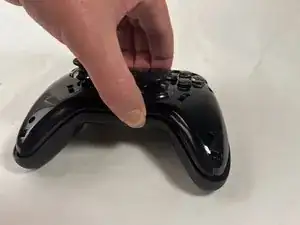
This guide is a detailed process on how to remove the vibration motors on the EasySMX ESM-9110 gaming controller. The EasySMX ESM-9110 controller contains two vibration motors which operate during gameplay. The replacement of these vibration motors will most likely fix any issues being had.

  1. w11ERDQZOBQFg6Nm
    w11ERDQZOBQFg6Nm
    UvIfIvxDUBcZDWwE
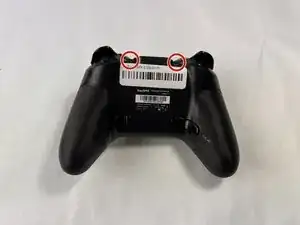
    • Use a Phillips #000 screwdriver to remove the two 10 mm screws from the back of controller.

  2. M1MhWsvQ44CAlKrA
    • Insert a plastic opening tool into the slit on the side of controller.

    • Wiggle the tool until the cover becomes loose.

    • Repeat this on the other side of Controller.

    • Go slow. Take your time removing the handle covers.

  3. TpIDmw2eiQOIMtRP
    • Remove the faceplate.

    • Repeat on the other side of the controller.

  4. hZeIrZEKLRIwrpm6
    hZeIrZEKLRIwrpm6
    ECglXmCmGbZCJcBO
    POTOAVTDWYVuXAbj
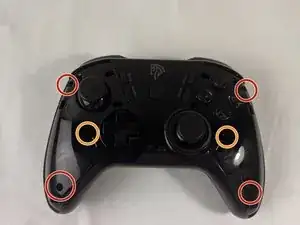
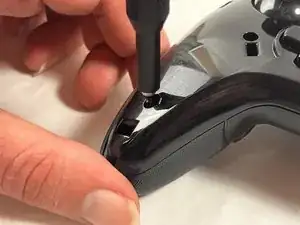
    • Use a Phillips #000 screwdriver to remove the four 20 mm screws from the controller's faceplate.

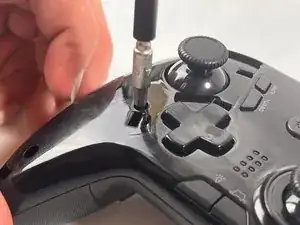
    • Use a Phillips #000 screwdriver (a screwdriver bit extension may be needed) to remove the two 20 mm screws from the controllers faceplate.

    • The screw extender should only be used to unscrew two of the six screws. Do not use it for all six.

  5. ZgF1FS3bVGCY3sbk
    ZgF1FS3bVGCY3sbk
    qYBaqb2bKOuTAmSV
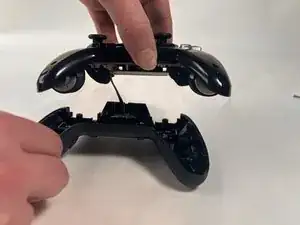
    • Remove the faceplate of the controller by lifting it directly up from the backplate.

    • Be gentle, the controller's backplate is still attached. Do not move the controller too roughly.

  6. WBX4CaYUw1ICyoag
    WBX4CaYUw1ICyoag
    CWabIGR2P5tRiy2y
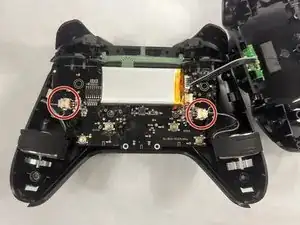
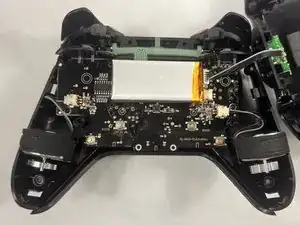
    • Locate the parts of the vibration motor that are connected to the motherboard

    • Solder these parts of the vibration motor to remove them.

    • There should be two connectors present in your controller, one for each vibration motor.

Conclusion

To reassemble your device, follow these instructions in reverse order.

Melanie Rodriguez

Membre depuis le 18/03/24

385 Réputation

0 commentaires