Introduction
Use this guide to remove or replace the micro SIM card tray in your Lenovo ThinkPad X270 laptop.
Outils

-
-
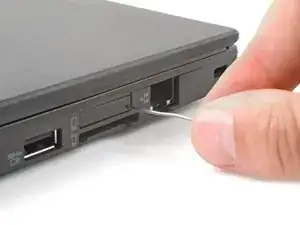
Insert a straightened paper clip into the micro SIM card tray hole on the right edge of the laptop.
-
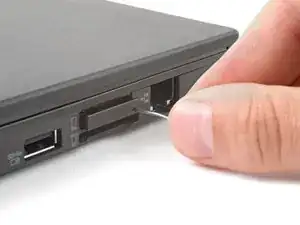
Press the paper clip firmly into the hole to eject the tray.
-
Remove the tray.
-

Conclusion
To reassemble your device, follow these instructions in reverse order.
