Introduction
Replace faulty sticks of RAM
Pièces
-
-
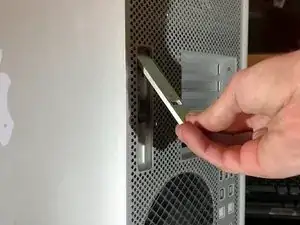
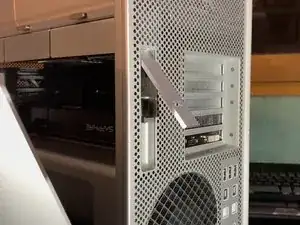
Press both latches to unlock the bracket and then pull it towards you
-
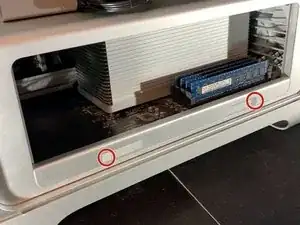
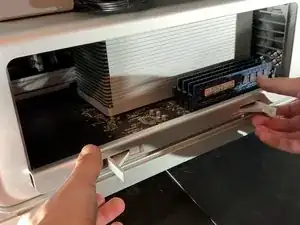
Press where you see the circles
-
-
-
From these guides: 2009 Mac Pro CPU Replacement (quad-core) Mac Pro 2009-2012 Case Replacement
-
Photo Credits: Josh Calvetti, Sam Goldheart, Maitland Thompson, Dan, Idrees, Stéphane MILOUX, Troy weglinski,
-

Conclusion
To reassemble your device, follow these instructions in reverse order.