Introduction

Utilisez ce guide pour remplacer la batterie de votre Xiaomi Air 12.

  1. i6Pov1VClnkVXAbB
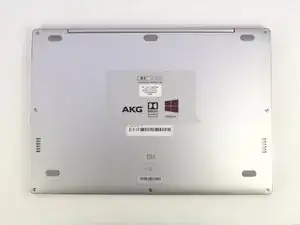
    • Orientez l'ordinateur de manière à ce que le logo Xiaomi se trouve en bas de l'appareil.

    Hello,

    I have a problem on my Mi air 12 , specifically with the lcd cable port on the mother board. I want to replace it but i can’t seem to find where to buy the parts.

    Pleas help me

    Kind regards

    L.

    lanusjeleus -

  2. mVYLPcyT3JTCsjsn
    mVYLPcyT3JTCsjsn
    dXEbVHMAUuLt16aZ
    HNNG5AxJksENWCAM
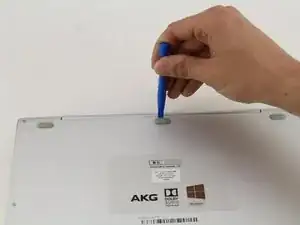
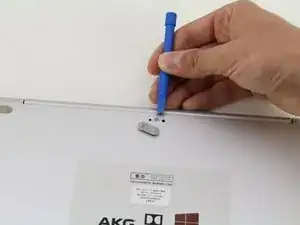
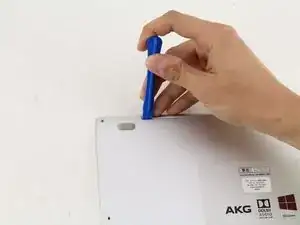
    • Insérez l'outil d'ouverture en plastique sous le revêtement en caoutchouc situé en haut et au milieu et soulevez-le pour faire apparaître la vis cachée.

  3. WbYRWVkOADoaTEiJ
    WbYRWVkOADoaTEiJ
    bwuEyhmZ1YEFsyoQ
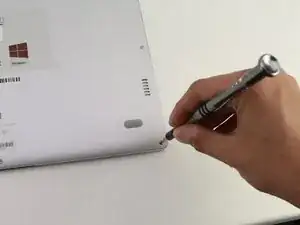
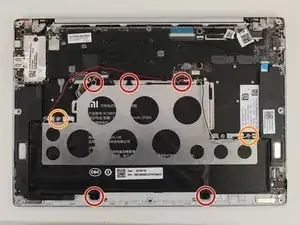
    • Retirez les huit vis de 3 mm à l'aide du tournevis Torx T5 en insérant le tournevis dans chaque vis et en tournant dans le sens inverse des aiguilles d'une montre.

  4. mNlUVPVVwAO3Cmof
    mNlUVPVVwAO3Cmof
    RwBNkoCCmgH6uAom
    XaddoYG45ovrPLFU
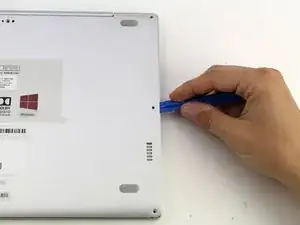
    • Insérez l'outil d'ouverture en plastique dans chaque côté de l'ordinateur et poussez l'outil vers le bas pour ouvrir le couvercle arrière.

    • Vous entendrez des bruits secs lorsque vous enlèverez le couvercle.

  5. gbrgFwNuWUTkZM6s
    gbrgFwNuWUTkZM6s
    LnKHhIQgg1v5LYFZ
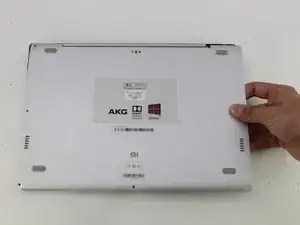
    • Retirez l'arrière de l'ordinateur portable en soulevant délicatement le boîtier vers le haut.

  6. YOK4lOqIGGA1HGAn
    YOK4lOqIGGA1HGAn
    14Uw6EcPEFNZnY1c
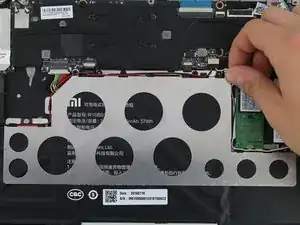
    • Détachez les fils blanc et noir du haut-parleur en les tirant des petites languettes noires situées sur le périmètre du support métallique.

    Would be nice if I found somewhere a replacement for the Mainboard….no luck so far and Xiaomi does not sell.

    Mk k -

  7. D5VxxRWZTFJOlE3r
    D5VxxRWZTFJOlE3r
    pBf6Qe5U1bxGHDXs
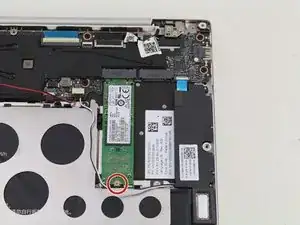
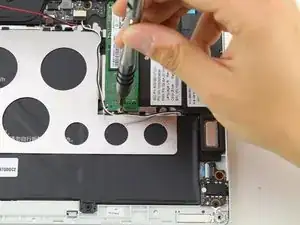
    • Retirez la vis de 1,5 mm à l'aide du tournevis JIS #00.

  8. Z1GuyeV4QrcoqeFS
    Z1GuyeV4QrcoqeFS
    bdtkTuDyKxfctFfu
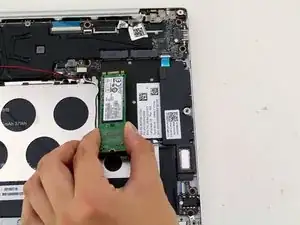
    • Soulevez le disque SSD de l'appareil et retirez-le doucement de l'ordinateur portable.

  9. J3dDlfhCZdnV1d1F
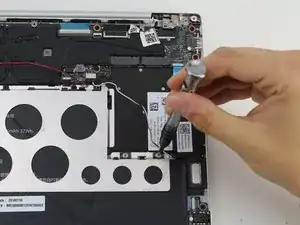
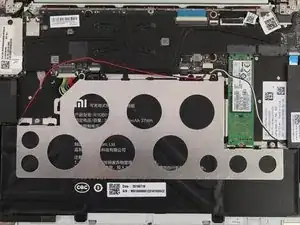
    • Détachez le fil rouge des languettes situées sur le périmètre du support métallique.

  10. w2LJlfOryvSonMSB
    w2LJlfOryvSonMSB
    IOTj1MtmS6HrDx45
    bTmy2kykPypcnNgc
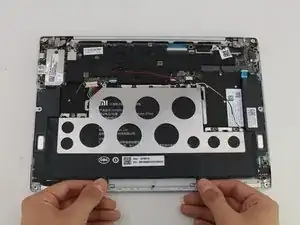
    • Utilisez un tournevis PH1 pour retirer les cinq vis noires de 2 mm.

    • Retirer les deux vis argentées de 1 mm JIS #00.

    • Il y a des entretoises en plastique transparentes qui s'enlèvent avec les vis argentées.

  11. D4jcJkQOIu6dvDfF
    D4jcJkQOIu6dvDfF
    BTQi2F1YoJvdrOXX
    JbOOteLGpDbHMUfS
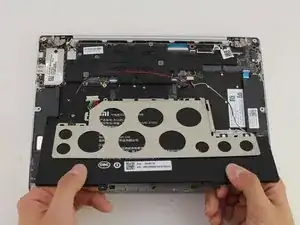
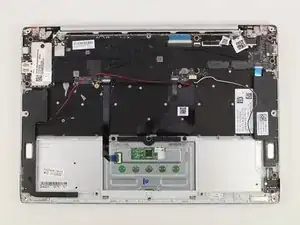
    • Soulevez la batterie et retirez-la de l'appareil.

    • Le support métallique s'enlève avec la batterie.

    Dont forget to disconnect the battery wire!!

    Ben Egalo -

Conclusion

Pour remonter votre appareil, suivez ces instructions dans l'ordre inverse.

Hannah Kwan

Membre depuis le 18/04/18

869 Réputation

6 commentaires

I have a problem, the battery do not really charge, 100% is reach in few minutes, and it works less than 15 minutes on battery. Is anybody have a solution ? Bios update maybe ?

Migwell2 -

I got to pull out my bloated battery…. Though it could work with just the charger on stand by but it did not… Anyone knows where I can purchase new battery? Can't bring it to the shop because of quarantine but need to work from home.

Roma Monica Desunia -

I removed the bloated battery too. It can’t power on properly. The power light just just on and off around every 5 seconds. Is yours the same?

sdot -

after I change the battery it always says plugged in not charge, anyone has the same issue?

Anthony Jethro Lieander -

Hi. There is no page for keyboard replacement so I'm asking my question here: how can I find a keyboard replacement for my mi 12.5 notebook? Only two buttons do not work.

Hamed Mirrezaee -

Hi! your tutorial is really great! Helped a lot. Thanks for posting this!

Some hint that may be helpful for others: I bought a replacement battery from company KingSener at Aliexpress. At first it seems to fit very well, but after remounting everything I found out that the clickpad doesn't work correctly. It just doesn't click anymore because the replacement battery is somehow thicker and hinders the clickpad. I then opened it again and saw that in the replacement the two middle cells are somehow smaller than in the original battery. The empty space is filled with a pad of flexible foam that is even thicker than the cells. I removed part of it with a knife (be sure to not damage the cells!) and assembled again. Now the clickpad is working as expected (or at least very close to, I am not totally sure).

Jürgen

Jürgen -