Introduction
Ce guide vous apprendra comment remplacer les cartouches d'encre du Canon Bubblejet i80.


Pièces
-
-
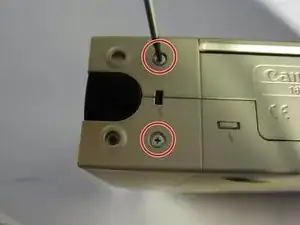
Poussez vers le bas et faites glisser les languettes situées des deux côtés de l'arrière de l'imprimante loin de l'appareil pour retirer les languettes.
-
-
-
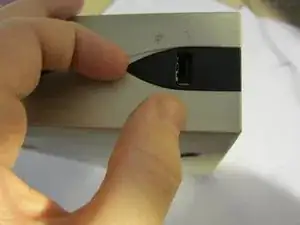
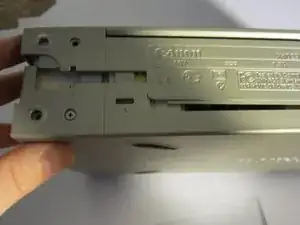
Insérez l'outil d'ouverture iFixit dans la couture à l'arrière de l'appareil et séparez le boîtier extérieur en plastique.
-
-
-
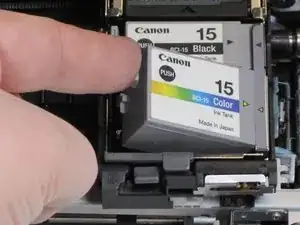
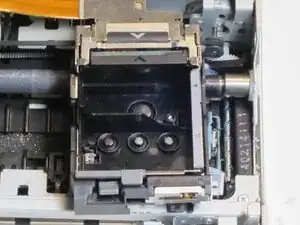
Poussez doucement la cartouche d'encre vide vers la droite pour la déverrouiller.
-
Faites glisser la cartouche vers le haut et loin de l'appareil pour retirer la cartouche.
-
-
-
Installez les cartouches de rechange en plaçant d'abord la cartouche dans le port sur le côté droit, puis poussez vers le bas pour la verrouiller en place.
-






Pour remonter votre appareil, suivez ces instructions dans l'ordre inverse.

2 commentaires
Why go through all this hassle? Just turn on the printer and open the black smoke color door, the cartridge should return to center position where you have to just press the tab on the left side of each ink cartridge, tip the cartridge up and snap the new one in. takes less than 1 minute.
The printer is a great little work horse and really gets the job done!
filmwrk -
Yes, my sentiments exactly! As I was reading these directions I was wondering what non-tech person did not even try lifting up the black lid to replace the cartridges? This is easy. Geez, a person could break their printer following the above directions with the screwdriver!!!
Nancy -