Introduction
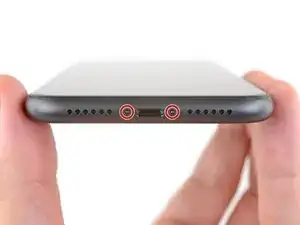
Consultez ce tutoriel pour retirer ou remplacer les deux vis qui fixent le panneau d'écran de l'iPhone 11. Ces vis qui sont les seules à l'extérieur de l'iPhone ont la forme d'étoile à cinq branches caractéristique d'Apple et se dévissent avec un tournevis spécial Pentalobe P2.

-
-
Éteignez votre iPhone avant de commencer à le démonter.
-
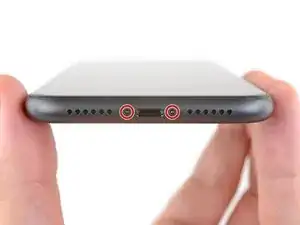
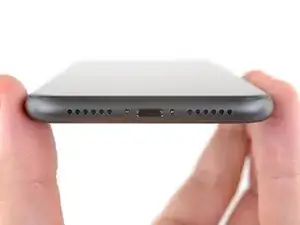
Dévissez les deux vis Pentalobe de 6,7 mm de long en bas de l'écran de l'iPhone.
-
Conclusion
Pour remonter votre appareil, suivez ces instructions en sens inverse.

Un commentaire
I was putting in a SIM card on my new iPhone 11 and it bounced and I will not find it. Can you send me one or two and a tool to use bc it is so small?
Dah -
the right screws wouldn’t come off
Yusef San Inocencio -
ok one came of but my right wont come of either!!!!
Aisa Jawara -
Hello guys, I still haven't found away to power off the iphone without using the screen. Cheers!
danielaguirre93 -
You can try this.
Quickly Press and release the volume up button.
then Quickly Press and release the volume down button.
then press and hold the power button and wait until it turns off.
worked for me :D
Benóný Egilson -
Where does one get replacement seals? Is this the same as the display assembly adhesive?
Brian Baker -
not of the screwdrivers i have seem to be able to turn the screws
Aisa Jawara -
how do you change battery of an iPhone 11 and still the battery health shows, do you use a software for that?
Great Me -
Battery health won’t show on a non Apple battery.
DON’T forget to discharge old battery before removing it. Very impressive fire (and smoke!) if you puncture it. Ask me how I know
Doug Harrowing -