Introduction
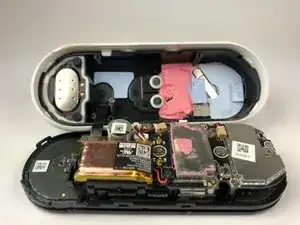
Ce guide explique comment retirer la façade et le boîtier du Nest Hello.


-
-
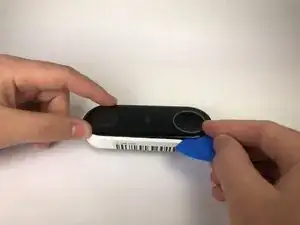
Insérez le médiator entre la façade noire et le boîtier blanc du Nest Hello.
-
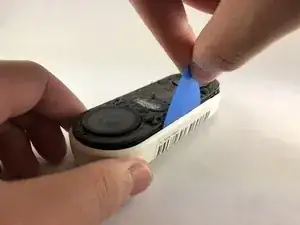
Retirez la façade de l'appareil avec le médiator.
-
Retirez complètement la façade de l'appareil, n'ayez pas peur de tirer fort.
-
-
-
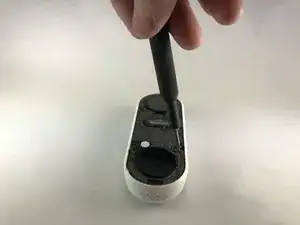
Décollez les autocollants du couvercle et utilisez le tournevis cruciforme n ° 000 pour retirer les quatre vis.
-


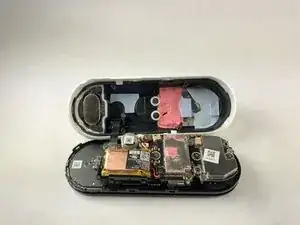
Pour remonter votre appareil, suivez ces instructions dans l'ordre inverse.

2 commentaires
Are Replacement parts available anywhere? Can’t seem to find anything… thanks!
Aside from fine grit sanding and spray painting or using a silicone cover, has anyone found a creative way to fix the delaminated an existing Gen 1 Google Nest wired / Nest Hello doorbell faceplate (remove the rest of the flaking off laminate)?
I had to use a metal spudger tool to start and then used guitar picks.
Joel Lundi -
Be afraid to pull hard. The faceplate will break in two.
B Bremer -
I did the JerryRigEverything method and slipped a razor under the faceplate to separate it carefully from the body. Worked perfectly and nothing was damaged
There I Fixed It -
Be careful with the wiring and the heater element. I must have shorted something together when it put it back together and now it will no longer power up. It is probably best to cut the wires to the heater and deal with the consequences in the cold temperatures.
Joe I. Fabritz -
The secret I think is slicing through the adhesive. I shoved multiple picks in and worked my way around. You want to cut the adhesive. Prying is likely to break the faceplate. The big hint is the next picture in the step, seeing where the adhesive is.
Arnold de Leon -