Introduction
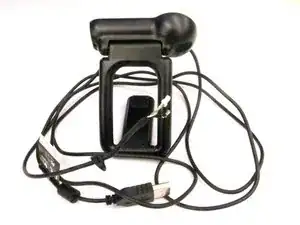
Suivez ce guide pour retirer et remplacer le câble USB de votre webcam. Des connaissances en soudure sont nécessaires pour installer un nouveau câble.


-
-
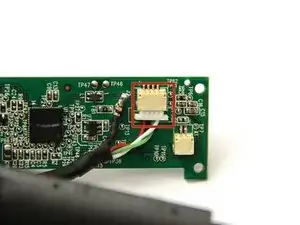
Utilisez une pince à épiler pour saisir le connecteur de fil blanc à l'arrière de la carte mère.
-
Remuez le connecteur d'avant en arrière pour le retirer de la prise.
-
-
-
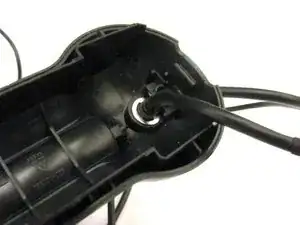
Coincez l'extrémité pointue de la spatule entre l'anneau en E ruban et la base de fixation USB pour extraire l'anneau en E et libérer le câble USB.
-



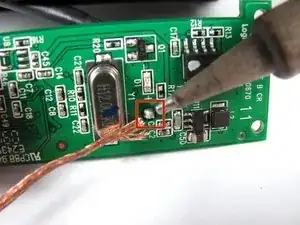



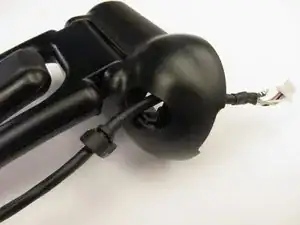
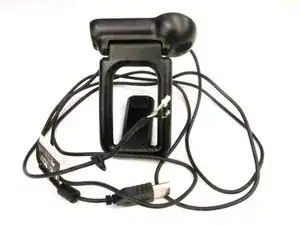
Pour remonter votre appareil, suivez ces instructions dans l'ordre inverse.

4 commentaires
Ich habe auch. ich braucht neu Kabel für C910 aber wo finden?
where i baught pro 9000 Cable
In hindsight, I wish I had just ordered a new camera. It is more difficult than these instructions make it look. I found a replacement cable on Amazon. Disassembly and removal of the old cable was easy. Soldering of the single wire on the new cable was difficult. I'm not as steady as I used to be, and the tiny cable and small board made it a difficult task. Once I finished the soldering, reassembly was easy except for the cable clip. Once done and I plugged it in, the camera would not work--USB device not recognized. I don't know whether the cable was incorrect or if I messed something up during the soldering. I finally trashed the old camera and ordered a new Logitech c920s. Wasted $10 on the failed cable and spent $70 on the new camera.
If you are unsure, it might be worth spending the money to upgrade instead of wasting time and money on a failed replacement cable like I did.