


-
-
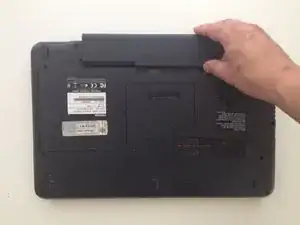
Retirez la batterie.
-
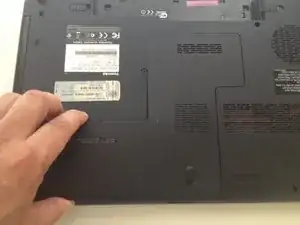
Dévissez la vis Philips et retirez le couvercle du disque dure / mémoire vive.
-
-
-
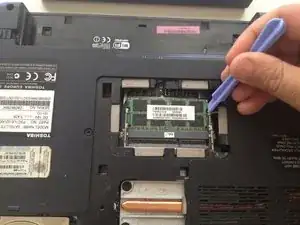
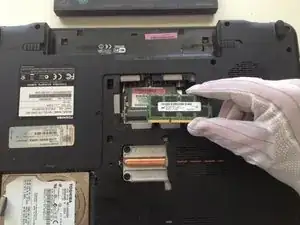
Utilisez un outil en plastique et des gants antistatiques pour retirer les modules de mémoire.
-
Si vous n'en n'avez pas, prenez la platine uniquement par les bords.
-
Vérifiez exactement le type des modules de mémoire utilisés. Ces modèles utilisent la technologie DDR3.
-




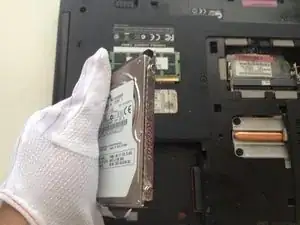

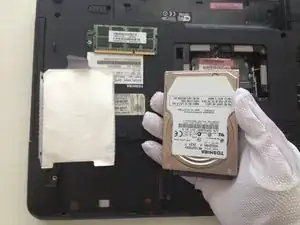
Pour réassembler votre appareil, suivez ces instructions dans l'ordre inverse.
3 commentaires
I dunno, I would class this as easy peasy. One captive screw. No need for tool to remove ram, it pops up when you flex open the metal bits. Doing it with fingers is way easier.
While you can remove the 4 screws to remove and transplant the bit of plastic onto the new drive, a dab of sugru to secure 20 quid ssd drive will do the job. Upgrading these things tales less than 5 minutes.
Can I replace the HDD with a SATA SSD?
To Steve Jamolin:No
Seems to be a step missing here. There is a screw on the left hand side of the panel that needs to be removed to expose the RAM chips and hard drive.
Imogen -