Introduction
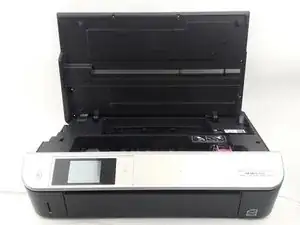
Le panneau est ce qui maintient l'écran en place. Avant de retirer le panneau, assurez-vous que l'imprimante est débranchée.
Outils

-
-
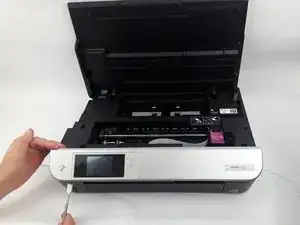
Utilisez la spatule en métal de la boîte à outils IFIXIT pour soulever le coin gauche du panneau avant.
-
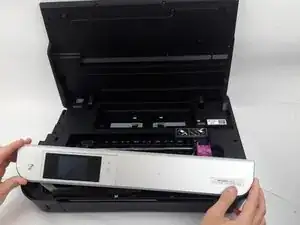
Soulevez lentement le panneau avant en faisant glisser la spatule en métal le long du bord du panneau avant.
-



Pour remonter votre appareil, suivez ces instructions dans l'ordre inverse.

4 commentaires
My HP Envy 5530 had a screw hidden beneath the label on the right side of the front panel. I used a knife to lift the label to access the screw.
rndymike -
Is the front panel from a 5532 compatible with the Envy 5530?
Wish I would have seen the comment about the screw… fix your post… at least protect others from making the same mistake
Azpatch -