Introduction

Mechanical keyboards are conventionally expensive to buy. Having functional keys are essential for a mechanical keyboard.

With the help of this guide, fix unresponsive keys on your mechanical keyboard.

  1. kyhi32RlTIcD1if4
    • Unplug the USB cable to prevent issues during the repair.

  2. AXhJ3VNs2PWAZrOx
    AXhJ3VNs2PWAZrOx
    IpKMcWmx3adPCUWd
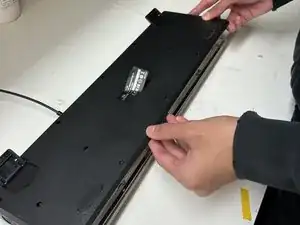
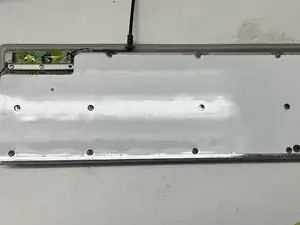
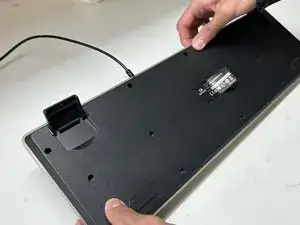
    • Remove all 13 Phillips screws located on the underside of the keyboard and gently remove the casing.

  3. sJKYRJUtTudvWpYm
    • Lay the RGB LED panel flat on the desk.

    • Make sure that you do not damage the black wire on the left corner of the keyboard connected to the LED panel.

  4. LGPHxUbCEEQqaNa1
    LGPHxUbCEEQqaNa1
    rZoYdfVVvcLQG4T1
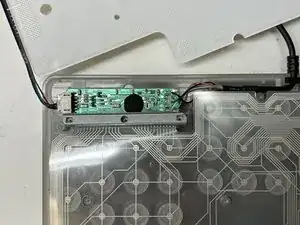
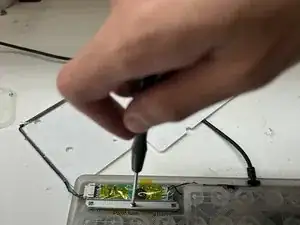
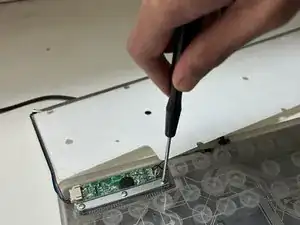
    • Remove the three screws on the metal bracket located towards the top left on the keyboard.

    • Remove the rubber underneath the metal bar.

  5. XrDefNvju45pN3g3
    XrDefNvju45pN3g3
    yuBd3sNmJobQ1tiU
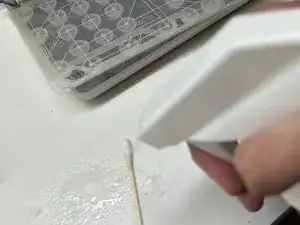
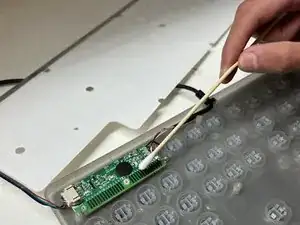
    • Use a cotton swab and add isopropyl alcohol to thoroughly clean the green membrane sheet and place the green membrane back onto the key switches.

  6. Ab53uqiEveq66SRV
    Ab53uqiEveq66SRV
    bYBgnR3JiRHiUF6e
    iGQdXRopDUrrRRoS
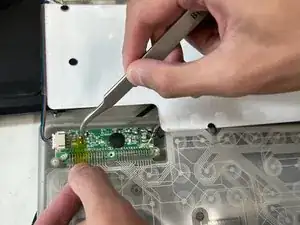
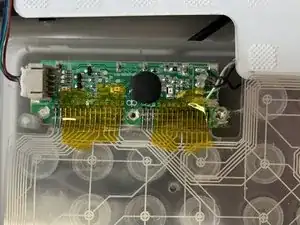
    • Use electrical tape to fix each contact strip that connects the green membrane to the motherboard into place.

    • Align the contact strips in place with the black lined traces provided on the motherboard.

  7. 5wxdfHAcWDTlnR1t
    5wxdfHAcWDTlnR1t
    4MJJtbYckSKKKocI
    4mcT2H2u4PTLgPDX
    • Place the rubber and metal bar back into place. Reinstall the three screws tightly as this will ensure no complications with the alignment of contact strips.

  8. UKimKuCKbhFojNAs
    UKimKuCKbhFojNAs
    uopITycdIHfWNfiH
    • Place the RGB LED panel back onto the green membrane sheet. Reinstall the casing.

Conclusion

To reassemble your device, follow these instructions in reverse order.

Usman Khan

Membre depuis le 18/01/23

430 Réputation

0 commentaires