Introduction

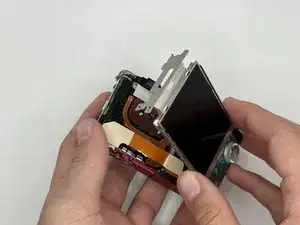
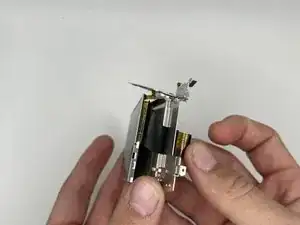
This guide will help you to replace the LCD on the Sony Cyber Shot DSC-W170.

If it is cracked or is not working properly, the solution is to replace the LCD. Be careful when removing shattered glass displays and be sure to remove power/disconnect batteries before performing this task!

Take a look at our troubleshooting page if you need help to remove the battery.

On the Sony website you can find replacement parts for the camera.

  1. PJEam5hJkMDu2fie
    PJEam5hJkMDu2fie
    glKXQFNLwMBovXkh
    mWIhjtmKNjQIrOjw
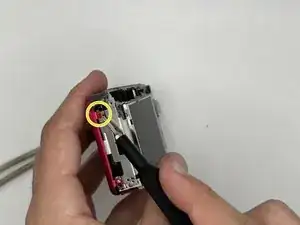
    • Be sure to remove the battery before performing this task.

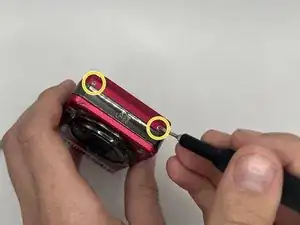
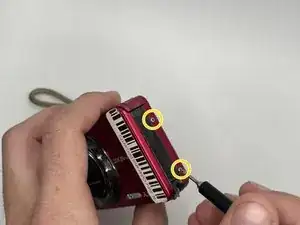
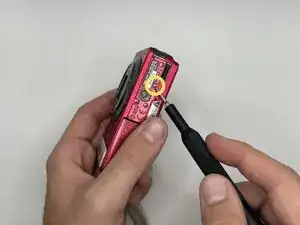
    • Remove the five 4 mm screws with a Phillips #000 screwdriver.

  2. fMiJ2IlulDWXv6JG
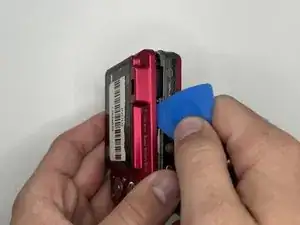
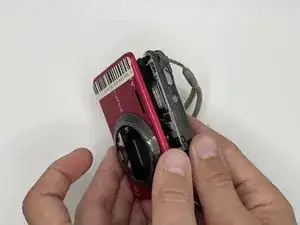
    • Use an opening pick to pry the LCD panel open.

  3. tImvaenn6lDlOxfe
    • Gently remove the LCD panel from the rest of the camera.

  4. ZYkL5mOLJEROdnLW
    ZYkL5mOLJEROdnLW
    InxoGGmNTkIXZOXU
    NdTOBWrijGgJ2eOY
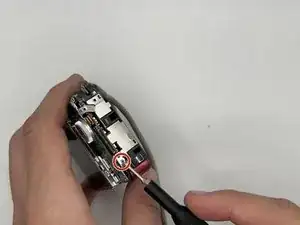
    • Remove the three 4 mm screws with a Phillips #000 screwdriver.

  5. LbKbawWiNhCchEge
    • Gently open the front panel and remove it from the rest of the camera.

  6. XB5slA3DXDat2kTK
    XB5slA3DXDat2kTK
    DOkNp5gaWXVfRC6q
    • Remove the first side panel to the left of the LCD.

    • Remove the 4 mm screw from the other side panel to the right of the LCD with a Phillips #000 screwdriver.

  7. VPS2hZRpsL3cy3tr
    VPS2hZRpsL3cy3tr
    ldaA5cfAuh4aCW32
    WBC5Rl4o22DlBlxC
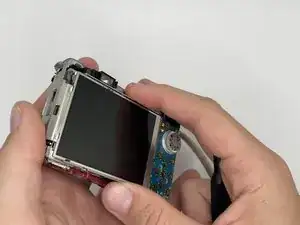
    • Gently, lift the LCD and carefully open the camera to disconnect the LCD ribbon cable from the motherboard.

  8. WcBRBkoUeFMeSRgi
    WcBRBkoUeFMeSRgi
    HJVXHxnAqUiiyLng
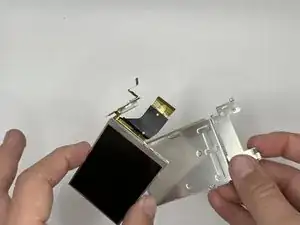
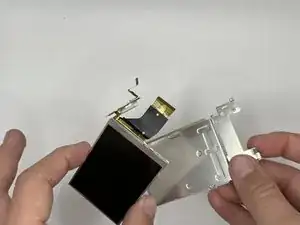
    • Gently push the connector through the hole to separate the LCD from the metal casing.

Conclusion

To reassemble your device, follow these instructions in reverse order.

Katharina Anglett

Membre depuis le 13/09/23

529 Réputation

0 commentaires