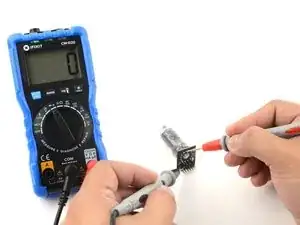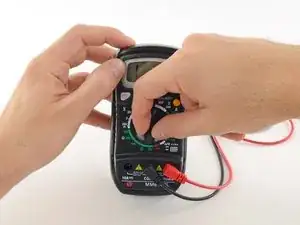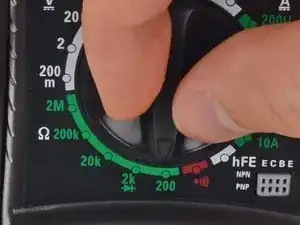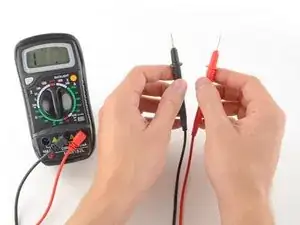
Introduction

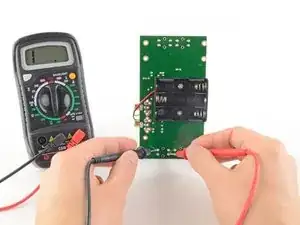
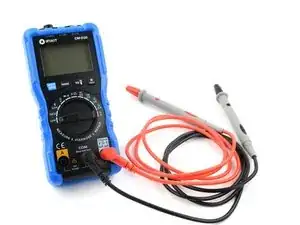
Chaque réparateur devrait savoir utiliser un multimètre, qui permet de tester les composants et circuits électroniques. Suivez ce tutoriel pour maîtriser les trois fonctions de base d'un multimètre.

Partie 1 : Tester la continuité

Partie 2 : Mesurer la tension

Partie 3 : Mesurer la résistance

Afin d'apprendre à utiliser votre multimètre pour faire des mesures avancées comme le courant ou la capacité, suivez ce tutoriel.

  1. MsUqGFaWOjpk5vFN
    • Un test de continuité nous indique si deux choses sont connectées électriquement : si c'est continu, le courant électrique peut circuler librement d'un bout à un autre.

    • S'il n'y a pas de continuité, cela signifie qu'il y a une coupure quelque part dans le circuit. Cela peut signifier un tas de choses, d'un fusible grillé à un joint mal soudé en passant par un circuit mal connecté.

    • La continuité est un des tests les plus utilisés pour la réparation électronique.

  2. FeP12uTURZ2Md5ed
    FeP12uTURZ2Md5ed
    SoFAjfYudAA3VOAE
    iJLO1HLeVG5PGXjZ
    • Pour commencer, assurez-vous que le courant ne circule plus dans le circuit ou le composant que vous voulez tester. Éteignez-le, débranchez-le de la prise d'alimentation murale et retirez les batteries s'il y en a.

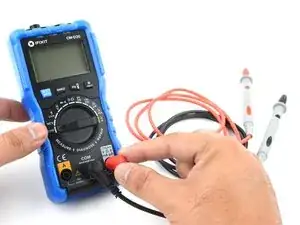
    • Branchez la fiche noire dans le port COM de votre multimètre.

    • Branchez la fiche rouge dans le port où il est indiqué "V" (dans notre cas, le port de droite).

    Why do we need to make sure that no current is running through the circuit?

    When there is another parallel branch with 24VDC power and 4-20mA output, the value of the resistance measured comes as zero. Whats the reason?

    Fraz -

    The way that a meter measures resistance is by sending a small current across the probes and then measuring the resulting voltage. So, another current will disturb your digital multimeter's (DMM) reading.

    nicO -

    Mi voltímetro hace un sonido discontinuo en el rango de continuidad

    Jenni -

  3. E2H4LwMpx3r45o1s
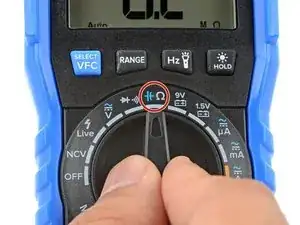
    • Allumez votre multimètre et réglez le cadran en mode continuité (indiqué par une icône qui ressemble à une onde sonore).

    • Tous les multimètres n'ont pas la fonction "continuité". Si le vôtre n'en dispose pas, ce n'est pas grave ! Sautez à l'étape 6 pour un autre moyen de tester la continuité.

    I want to search the resistance of gold and see if I have some

    Joel Stegner -

    What does a sound wave look like?

    Greg Janssen -

    Gold is highly conductive near zero resistance which is why they use it in conducters. Use "specific gravity" type tests or "mass spectromatry" type tests for elements.

    Sound looks like sine waves with various amplitudes and cycles per unit of time.

    MidnightWolf -

  4. PCEYXVAECcQuBLeR
    PCEYXVAECcQuBLeR
    Ris2OJKX2Iacr1SJ
    • Le multimètre teste la continuité en envoyant un peu de courant à travers une pointe et en vérifiant si l'autre pointe reçoit le courant.

    • Si les pointes sont connectées (soit par un circuit continu, soit en se touchant directement), le courant test circule à travers. L'écran affiche une valeur de zéro Ω (ou proche de zéro) et le multimètre bipe. C'est continu ! (On dira aussi "passant")

    • Si le courant test n'est pas détecté, cela signifie qu'il n'y a pas de continuité. L'écran affichera 1 ou OL ("open loop" en anglais, ou circuit ouvert en français).

  5. 6jl5CTMlIlkZQEcS
    6jl5CTMlIlkZQEcS
    u2Xwjk3Le13MpOoS
    • Pour terminer votre test de continuité, placez une pointe à chaque extrémité du circuit ou du composant à tester.

    • Comme précédemment, si le circuit est continu, l'écran affiche une valeur de 0 Ω (ou presque) et le multimètre "bipe".

    • Si l'écran affiche 1 ou OL (circuit ouvert), il n'y a pas de continuité, c'est-à-dire que le courant électrique ne peut pas circuler d'une pointe à une autre.

    • La continuité n'est pas directionnelle, peu importe quelle pointe se place où. Mais il existe des exceptions, par exemple s'il y a une diode dans votre circuit. Une diode est comme une vanne unidirectionnelle pour l'électricité, ce qui signifie qu'elle conduira l'électricité dans une direction, mais pas dans l'autre.

    • Pour vérifier ce phénomène, inversez les pointes et re-vérifiez la continuité. Si le multimètre affiche une continuité, alors il y a potentiellement une diode dans le circuit.

    Bonjour, si la résistance de l'objet à mesurer dépasse une centaine d'Ohm, la continuité ne sonnera pas.
    Mais pour autant, l'objet laisse passer le courant.

    Laurent -

  6. pNXYM5FfQyoAKF3U
    pNXYM5FfQyoAKF3U
    1rOXvA6mF2UDB26Q
    • Si votre multimètre ne dispose pas de fonction dédiée au test de continuité, vous pouvez quand même réaliser un test de continuité.

    • Tournez le cadran jusqu'au mode résistance.

    • Si le choix des calibres est manuel sur votre multimètre, choisissez le calibre le plus bas.

    • La résistance est mesurée en ohm, indiqué par le symbole Ω.

  7. K4RaLeyw6cJRZPUj
    K4RaLeyw6cJRZPUj
    lhY6L1HZhTvDRaIr
    • Dans ce mode, le multimètre envoye un peu de courant à travers une pointe, et mesure ce qui est reçu par l'autre pointe.

    • Si les pointes sont connectées (soit par circuit continu, soit en se touchant directement l'une l'autre) le courant test circule à travers. L'écran affiche une valeur de zéro (ou proche de zéro, dans notre cas 0,8). Une très faible résistance est une autre manière de dire que nous avons la continuité.

    • Si le courant n'est pas détecté, cela signifie qu'il n'y a pas de continuité. L'écran affichera 1 ou OL ("open loop", soit circuit ouvert).

    You mentioned that if your meter screen displays 1 or OL

    But what happen if it shows other numbers

    Like 5.5 or somewhat?

    ddplc -

    It means you have current flowing which would indicate a good path or circuit. Also means you have a power supply connected which I think was mentioned earlier in the article to disconnect all power supplied, as in a.c., d.c. Especially in a vehicle as running tests on computer module circuits with the vehicle battery connected can damage a computer module circuit..

    Henry DeVito -

    I'm very pleased to have discovered these directions. Interestingly, I tried the two probes on different sections of a screwdriver – resistance showed very high. Is that possibly because of chrome coating on the screwdriver?

    James O'Neil -

    May not be a chrome coating at all even if it looks like it. The screw drivers "resistence" is the result of what alloys are used in the shank of the screw driver ... ie ... tin, zinc, carbon, etc.

    MidnightWolf -

  8. pQgY2UOjP3ZDVqei
    pQgY2UOjP3ZDVqei
    hDwSACWBBcoNETx5
    • Pour terminer votre test de continuité, placez une pointe au bout de chaque circuit ou composant que vous voulez tester.

    • Peu importe quelle pointe va où, la continuité n'est pas directionnelle.

    • Comme précédemment, si votre circuit est continu, l'écran affiche une valeur zéro (ou proche de zéro).

    • Si l'écran affiche 1 ou OL (circuit ouvert), il n'y a pas de continuité, ce qui signifie qu'il n'y a pas de chemin pour le courant électrique pour circuler d'une pointe à une autre.

    What does it mean when I first get 1 then the meter jumps to all kinds of numbers and there is no beeping?

    Choymae Huie -

    Most likely you have bad contact with whatever you are measuring.

    MidnightWolf -

  9. DM5mgtGhdQTuNxGO
    DM5mgtGhdQTuNxGO
    xP5sKDmlGTLWIkCd
    dAwAJp3GjKLMqSve
    • Les quatre prochaines étapes montrent comment mesurer la tension.

    • Insérez la fiche noire dans le port COM de votre multimètre.

    • Insérez la fiche rouge dans le port indiqué par le symbole V (dans notre cas, le port de droite).

  10. qFAjhPFgaQfPOIK3
    qFAjhPFgaQfPOIK3
    KM5sWvYNtw4dCMmA
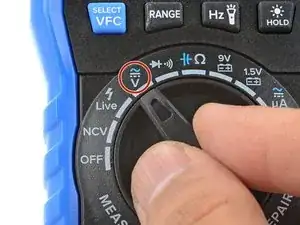
    • Allumez votre multimètre et réglez-le en mode tension DC (indiqué par un V avec une ligne droite ou le symbole ⎓). ("DC" = "direct current" = "courant continu (CC)", NdT)

    • Presque tous les appareils électroniques grand public fonctionnent avec un courant continu. Le courant alternatif (le même genre qui circule dans les fils électriques de votre maison) est considérablement plus dangereux et dépasse le cadre de ce tutoriel.

    • Votre multimètre peut être à sélection de calibre manuelle ou automatique. Un multimètre automatique (tel que le multimètre d'iFixit) sélectionnera tout seul le meilleur calibre pour effectuer votre mesure. Il vous suffit de sélectionner le type de mesure (tension continue, tension alternative, intensité, etc.) que vous souhaitez réaliser.

    • Si votre multimètre est automatique, il faudra aussi sélectionner le bon calibre pour la tension que vous pensez mesurer.

    • Chaque indication sur le cadran indique la tension maximale que le calibre peut mesurer. Comme par exemple, si vous pensez mesurer plus de 2 volts mais moins de 20, alors utilisez le calibre 20 volts.

    • Si vous n'êtes pas sûr.e, commencez avec le calibre le plus élevé.

  11. ZAq56LmtmgUK25IN
    ZAq56LmtmgUK25IN
    ZVIAjL1BvSRlBGkk
    • Si votre multimètre est à sélection de calibre manuelle, passez à l'étape suivante.

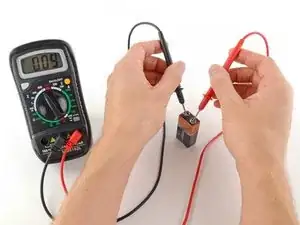
    • Placez la pointe rouge sur la borne positive, et la pointe noire sur la borne négative. Le multimètre affiche alors la tension mesurée.

    • Inverser les pointes ne posera aucun problème : vous aurez juste une valeur de tension négative.

    • Sautez l'étape suivante, qui décrit comment choisir soi-même le bon calibre de mesure.

  12. H4V1JZClcE1xYLJY
    H4V1JZClcE1xYLJY
    wFBrAuUIUHDBt5RM
    UqSPWuyf3k6qE4Rw
    • Suivez cette étape pour faire une mesure de tension avec un multimètre à sélection de calibre manuelle.

    • Placez la pointe rouge sur la borne positive, et la pointe noire sur la borne négative.

    • Si le calibre sélectionné est trop haut, la mesure sera moins précise. Ici, le multimètre affiche 9 volts. C'est bien, mais en sélectionnant un calibre plus petit, on aura une mesure plus précise.

    • Si le calibre sélectionné est trop bas, le multimètre affiche simplement 1 ou OL, indiquant qu'il surcharge ou qu'il est hors limite de détection ("OL" = "over limit" = "hors limite", NdT). Cela n'abîme pas le multimètre, mais il faut régler le calibre plus haut.

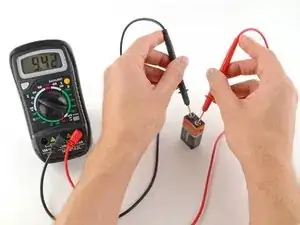
    • Avec le calibre correctement sélectionné, le multimètre affiche 9,42 volts.

    • Inverser les pointes n'endommagera pas le multimètre, mais donnera simplement une mesure négative.

  13. cUpFGOLWbsxAHdcT
    cUpFGOLWbsxAHdcT
    dYCeRVkXLQMVvOpO
    3iUjUybBSKUv5GA2
    • Les trois prochaines étapes décrivent comment mesurer une résistance avec votre multimètre.

    • Pour commencer, assurez vous qu'aucun courant ne passe à travers le circuit ou le composant que vous voulez tester. Éteignez-le, débranchez la prise électrique du mur et retirez toutes les batteries.

    • Rappelez-vous que vous allez tester la résistance de l'ensemble du circuit. Si vous voulez tester un composant de manière individuelle (une résistance par exemple), testez-le indépendamment, pas lorsqu'il est soudé en place !

    • Insérez la fiche noire dans le port COM de votre multimètre.

    • Insérez la fiche rouge dans le port indiqué par le symbole Ω, dans notre cas le port de droite.

    Be careful when testing ohms on the circuit board, the best test is to remove the part so you are only testing the part not the circuit around the part. Transistors, resistors, caps need to be removed or at best one leg of the part. One time I had a burn open resistor, then I tested the resistor with my Ohms test I got some resistor reading. This was caused by back feed in the circuit.

    John E Reese -

    Calibrar el voltimetro

    Jenni -

    Cómo calibrar mi voltimetro

    Jenni -

  14. b5ZwQcLXyHEVMn5S
    b5ZwQcLXyHEVMn5S
    IhSxTEjSvnYNGYqy
    • Allumez votre multimètre, et réglez le cadran sur le mode résistance.

    • La résistance se mesure en ohm, représenté par le symbole Ω.

    • Le multimètre iFixit est à sélection de calibre automatique, c'est-à-dire qu'il sélectionnera tout seul le meilleur calibre pour effectuer la mesure.

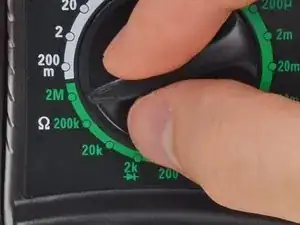
    • Si votre multimètre est manuel, vous devrez sélectionner vous-même le calibre correspondant à la valeur de résistance que vous espérez mesurer. Si vous n'êtes pas sûr.e, commencez avec le calibre le plus élevé.

  15. OoLy25VryAYc4pXr
    OoLy25VryAYc4pXr
    uqnSvhaPKQBVMOvH
    • Placez une pointe à chaque extrémité du circuit ou du composant, dont vous souhaitez mesurer la résistance.

    • Le placement des pointes n'est pas important, la mesure d'une résistance n'est pas directionnelle.

    • Si votre multimètre est manuel :

    • Si votre multimètre affiche une valeur proche de 0, le calibre est trop gros pour une bonne mesure. Dans ce cas, diminuez le calibre en réglant le cadran sur une plage inférieure.

    • Si votre calibre est trop petit, le multimètre indique simplement 1 ou OL, signifiant qu'il est surchargé ou hors limite. Cela n'endommagera pas le multimètre, mais il faut augmenter le calibre.

    • Une autre possibilité est que le circuit ou composant que vous testez n'a pas de continuité, c'est-à-dire que sa résistance est infinie (ou en tout cas qu'elle dépasse les limites de détection du multimètre). Un circuit non continu indiquera toujours 1 ou OL lors d'un test de résistance.

Jeff Suovanen

Membre depuis le 06/08/13

435981 Réputation

139 commentaires

EASy and helpful indeed

Trever Mazibuko -

Thank you! Never find instructions so easy to follow.

kuruvar -

Iwant to know hw to test caperstas

kapambwe sikazwe -

Great stuff!! Thank you.

warwick -

Super guide, many thanks for posting!

Alan -

Thank you. Very easy and good training

Badar Omar -

Very helpful for beginners, thanks for these clear instructions!

AndyBlaser -

great article. thanks

James Magenga -

thank you !!! for this info!!!

Sufian Hamouda -

i did not know i can do this.

jeez -

Thanks a lot this is very clear and helpful!

dillinger0893 -

Thanks Jeff. I just purchased a cheap mm. All instructions were in Chinese. Your help made sense of it all, so easy.

David Bennet -

Iwant to knw hw to test power suply

kapambwe sikazwe -

great, thank you for good description.

hzaim2001 -

Brilliant thank you

Liam Breen -

It takes an intelligent person to write simple instructions. BRAVO !

dave -

It truly does.

Shane Blanchett -

That was exactly my feeling. Very intelligent.

Susanne from Denmark -

so nice Bro...Thanks a lot...

akramul haque apollo -

Love the resources on the Pro site.

Shane Blanchett -

Very good instructions

Md Kamruzzaman -

Nice guide.pl add some additional examples to have better understanding for beginners.Thank you

sugashankar -

Nice guide. Pl add some additional practical examples. Thank you.

sugashankar -

I'm doing exactly this and mine won't read any voltages, but it will read resistance. I've tested it with multiple batteries that I know work, but I only get a read of 0. What might be the problem?

Juan Partida -

Very good lesson, helped a lot. Thankyou

mark cole -

This is the best and easiest lesson on using multimeter. Thanks a lot!

Seong Lee -

Thank you, Haven't used one of these is ages; this was a great refresher!

GON Compactor -

thanks for a very easy tutorial, it is very helpful!

bonjie montaflor -

The basics. Soooo important. Well done, short and concise.

chris teter -

Nice and straightforward guide - thanks buddy.

Mel Gavin -

Most helpful thank you!

jodianderson34 -

Had multimeter for a couple years, never knew how to make it beep!

Mike Weatherl -

Thank you for these great instructions. The instructions that came with the multimeter were not helpful for a beginner, and these really helped us diagnose our problem.

Roger Lemaster -

Thank you for the great instructions. My question and the reason for my looking online for info on using a multimeter was to find out what the various resistance readings mean on a digital tester. I am checking out a defrosting element in my refrigerator and got a reading of 12 or 15 ohms. The information I was reading said a 15-100 ohms meant the element was OK, another book said if medium resistance was found it was OK.

By going online I was looking for the answer as to what is low, medium and/or high resistance ranges are.

I did enjoy your instructions, they were easy to understand.

JM -

I have used a meter for a long time. Never had instructions so clear and easy to follow. Thank you very much.

The pictures are also very clear and helpful.

Rick Lewis -

Beautifully put. I truly appreciate the lesson. I've learned something of impirtance. Thank you.

rickeybenn -

it really useful for begginer

erwin torres -

Thanks you for the lesson :)

Mark Diamond -

Hi,

das ist wirklich sehr anschaulich aufgebaut und benutzerfreundlich, vielen Dank dafür!

Wer jetzt noch genau wissen möchte wie Multimeter funktionieren und worauf Sie beim Kauf achten sollte der kann gerne noch auf https://multimeter-tester.de schauen und weiter lesen.

Ich wünsche euch noch einen schönen Abend und einen bestmöglichen Start ins neue Jahr.

LG

multimeter_tester -

Thanks you for the lesson :)

mrmannan05 -

A great introduction for a beginner like me.

Joe -

Hello . and thank you good read.

conrad -

Easy to understand...thank you

chip -

Thanks and had help me a lot

sinoncesar -

Had help me a lot. Many Thanks

sinoncesar -

Thanks, I think I've got it.

rama jama -

Simple and precise. A life saver as I couldn't find the "manual" - one page sheet. Greatful!

rudy2828 -

Wow I love this I can now read a resistor thanks keep on the good work

Adeyefa -

Great stuff this was helpful.

joel7269 -

Thanks , sometimes need too refresh with the basics.

Kurt Webster -

It is very nice demostration

Lokesha -

Sir can i get a book about basics of auto electrical and electronics or soft copy.

Lokesha -

Very informative! Easy to understand.

David Flatt -

Well written.

Neville Amaral -

Simple and easy thanks

kudakwashekatena -

I have been searching a tutorial on getting started with trouble shooting an automotive parasitic draw. I have no background in different types of functions of a mmeter such as continuity, voltage, and resistance, your tutorial was a must have. It gave me an understanding of just the basic terminology of the more advanced tutorials. I give it a major thumbs up, excellent tutorial thanks a million !!!!!!

camotrucker87 -

Easy to follow description. However, I am having trouble diagnosing a microwave diode. Seems I can't do that directly with a multimeter. Is that correct?

Rose - May 9, 2017

rakile -

Thank you, the instructions that came with my multi meter were clear as mud. Your mini course was very clear and concise.

t_wellman -

Thank you. This was very helpful to me. Very clear and easy to understand....

John Cascella -

Thank you so much, it is so easy to understand the way you explain.

nodzgreat -

thankyou very much.

keith -

Thanks for supportive/useful post

Suman Ponmathan -

Very Helpful.,thanks

Rey Mombay -

Excellent please give us more of the same, primarily to help with understanding of the subject matter at a basic level.

mike payne -

Excellent and elegantly simple guide.

Stewart Shackleton -

Thanks you so much for this.For me as a beginner,I didn't find difficulties in reading this but its fruitful one.

Jhed Saldavia -

thanks a million

claude.staples -

It was just awsome.Before your tutorial it just was looked like some alien device to me and now I think it's having very simple working principle. I am now pretty confident to work with it. A very big thanks.

Biswarup Majumdar -

Indeed awesome. Lots of thanks for such a generous sharing of knowledge. Be blessed

prince -

very helpful,thanks

silvester -

very simple and accurate

daniel -

Awesome thanks.. I knew you could use this for a lot of things but not this much.

Lynn Comstock -

I have a problem with my multimeter (Mastech MY74), the first thing I did was stupid, haven't read the user manual and tried it on a live socket and now it doesn't want to work. I have changed the fuses (600V, 0,4A and 10A), but it still doesn't work. Does anyone have an idea what else could have went wrong and how to test it?

Best regards

Rebius Noir -

Very useful. I liked the statements like ‘this will not harm the multimeter but will show negative reading ‘. For non science folks like me, these questions crop up often so this guide takes away the anxieties.

Ninad Kajale -

Nice article with great illustrations.

Apart from measuring DC voltage, resistance and continuity, they can also measure AC voltage, DC current, transistor and Diode checking, which I learnt from here https://circuitdigest.com/article/how-to...

merchan -

Following the KISS method of instruction!

Very well done!

JD Stewart -

marvellous explanation for a layman good luck& thanks

Ajmeet kaur -

Excellent guide. Very well explained and easy to use.

Simon Watts -

Dead easy. Very impressed.

Mark Sanders -

What to say except that you are the best !!!

Samir -

Good information. Thank

Masthan S -

Thanks a lot. :) My fear with multimeter is gone now. I am able to measure with confidence.

Jaya Saxena -

Can multimeters be used to measure salinity in water?

Ella Post -

Jeff, thanks for your step by step multimeter guide. I have also written https://bestmultimeterreviews.org/ similar article in my blog. But, your article is much better than me.

Ciffakla Notam -

Simple, easy to understand, well presented. Very helpful thanks.

Nicholas Topley -

Literally helped me passed my physics test; thank you!

KATE HUT -

Thank you very much !! Nicely explained and very easy to read with the pictures provided

larykir -

Tanks very much….Its really

Austine Taiwo -

you put a lot of effort in making this tutorial. I appreciate it.

hurshell -

Thank you. Very clear and thorough.

Choymae Huie -

Thank you for the helpful information, simple for novice to understand.

mark long -

Very helpful :) Thank you.

john schulz -

Very helpful… Thank you

Rhon -

Very helpful, thanks.

Daniel -

Cool keep up the good work and thanks

Pete Garcia -

Great for beginners, thanks

Mark -

thanks for a very easy tutorial, it is very helpful! pl add some additional examples to have better understanding for beginners.Thank you

sateesh

Challa. Sateesh -

Thank u for the precise description,very very useful for beginners.

A MAZUMDER

Arunava Mazumder -

thanku for guide!!!

sencotech khan -

I studied multimeter in my 11th grade and since then, haven’t been around these things for a long time! I was glad to go through the above instructions and as my nephew has been studying physics as well, I was able to guide him through some subjects which really gave me a good day and made my nephew happy. Thanks a lot.

Charles Brown -

thanks for this info.

daud john -

Very good explained well. Thank you.

Colm Gibson -

Exceptional directions and explanations for each step. Even an inexperienced user (such as myself) can understand and follow the instructions. So hard to find such detailed instructions for those that “want to be in the know”!! Kudos! You deserve 4+ Stars :)

Elaine Shapiro -

We thank you for the information

zenyao masilela -

I was always confused about electricity and how to test it but your instructions have given me a better understanding of it. I now have a place to go to for future reference. Thanks.

davidleithead -

thanks for the lucid description of the three phases of testing an electronic item; good job!

Jayaraman Raju -

An excellent guide. Thank you.

Kevin Dyck -

Thanks, that's helpful to me

Congrats for showing us the best way use it

Abdul Ndove -

Excellent guide Thank you!!!!

Hubulaoo kunafufafaaa -

Easy and simple to understand!! Thank you

John -

Show us the hard stuff like MX10 android box main board how to test thank u

alf -

Well. .. thank you, this is awesome

protyp Kariba -

thank you very much

Sisay alemayehu -

Well done. You've explained it in detail and was completely understandable. Tm

Todd Martens -

Good Content …………..Easy to Learn!

https://www.multimeter-uses-hindi.com

Shah Jahan -

When testing a Tweeter the multimeter reads OL on the resistance scale. What does this mean?

walkad@internode.on.net -

Really helpful

Richie boateng -

Very simple and easy to understand. Thank you very much for your help, now I can use a multimeter now.

Lala Hetman -

Very informative ; Thank you ?

Abdus van harte -

Thank you so much for making it so simple to follow. Because before I new what I was doing I got the all wires mixed up on my car battery. And I nearly melted my fingers to the wires. So thanks again c foley… craigfol659@gmail.com

Craig Foley -

Very good explained! Thanks.

Ove Aarstad -

easy to understand

Adriaan Cooke -

Thanks for teaching me

mokatsi phalamotse -

Thanks very helpful

Kenny Miller -

Thanks. Very Helpful

Kenny Miller -

Thank you so much easy and healpful

Goodluck Minja -

Thank you! Great how to advice for a beginner!

bobtruck7140 -

Knowing how to test continuity safely and quickly will both increase confidence near electronics — is that circuit LIVE? — and significantly decrease repair time.

nicO -

Thanks for the very detailed guide, good content and quality pictures.

AC is not dangerous, even V's aren't. Everyone must get worried about A's.

Sadly, you didn't include how to measure A (amperage or current), which always causes troubles to measure, to learn and understand.

Nicolas Pascual -

Hi how can I test a signal transmission through an ffc or fpc cable using a multimeter

silasbiwott74@gmail.com -

That was a really clear and concise tutorial. Thanks.

Just one request. Could you do ones on other capabilities of a DMM, please? For example, measuring ampage, testing doids and LEDs.

Cheers Wal

William Robertson -

je veux connaitre si je veux tester le court circuit entre plusieurs pins a la fois comment je peux faire

Mohamed Moulahi -

there is how can i downloading in pdf

uwimana jean de dieu -

Mein Multimeter XL830L zeigt immer -1 an ... Kann jemand helfen?

Maik Böhme -

Bei allen Messbereichen? Egal was du einstellst? Stelle mal Widerstand (Ohm) ein und halte die Messspitzen zusammen. Dann muss 0 im Display sein, sonst hat das Messgerät einen Schaden.

VauWeh -

That's too much helpful

Shahzad ahmed -

Merci bcp le cours est complet et global

sofian bof -