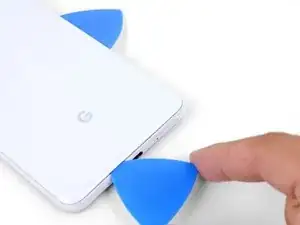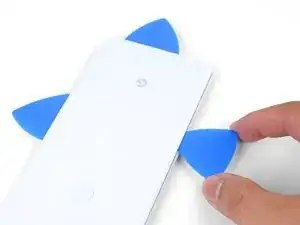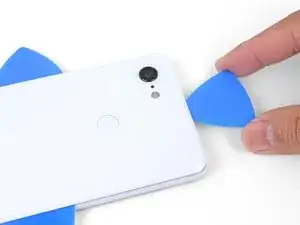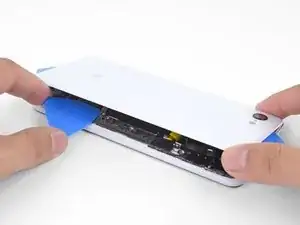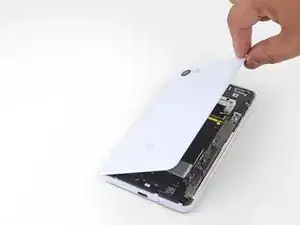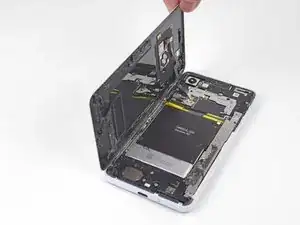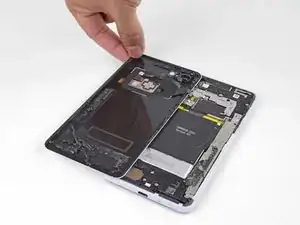
Introduction

Ce tutoriel de réparation provient de l'équipe iFixit et n'a pas été soumis à l'approbation de Google. Pour en savoir plus sur nos tutoriels de réparation, c'est par ici.

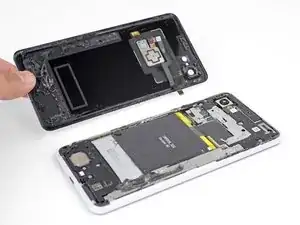
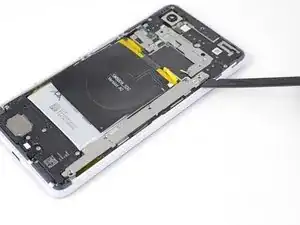
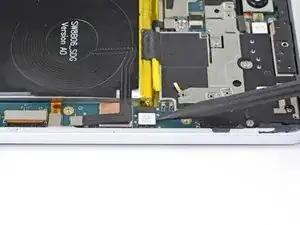
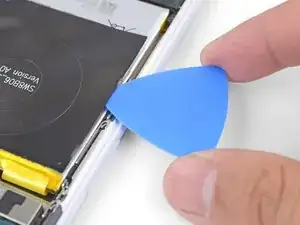
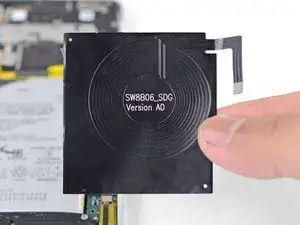
Ce tutoriel montre comment retirer et remplacer la bobine de charge ans fil de votre Pixel 3 XL.

La bobine est fortement collée à la batterie. Pour éviter d'endommager cette dernière, vous devrez en détacher la bobine en vous servant de dissolvant pour adhésif ou d'alcool isopropylique à haute concentration.

  1. wIigbvaXNQ1gCfa2
    wIigbvaXNQ1gCfa2
    4f3uBiUqnYIwtpHk
    5fCoAkkaQhAC1YlB
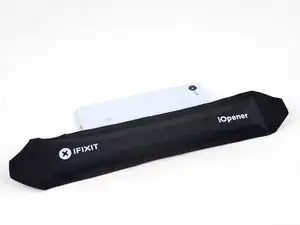
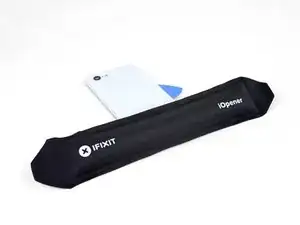
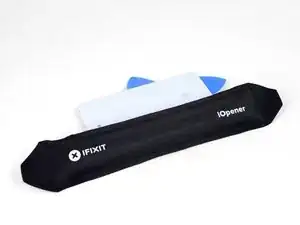
    • Faites chauffer un iOpener et posez-le sur le bord droit du panneau arrière pendant une minute.

    • Vous pouvez aussi utiliser un sèche-cheveux, un pistolet à air chaud ou une plaque chauffant, mais faites attention à ne pas surchauffer le téléphone. L'écran et la batterie interne sont tous deux sensibles à la chaleur.

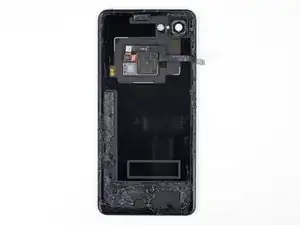
    • Pendant que vous attendez, repérez les zones suivantes de la coque arrière :

    • Il y a beaucoup d'adhésif tenace en bas du téléphone.

    • Faites attention à ne pas trancher la nappe du lecteur d'empreintes digitales en faisant levier.

  2. cZhYNQPJKIpeBdUV
    cZhYNQPJKIpeBdUV
    O3ZtiUsIEYd1LOi5
    PdMr62SQHqkykS2M
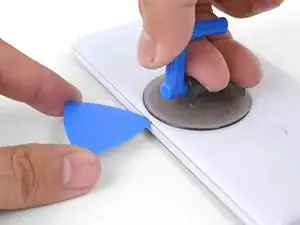
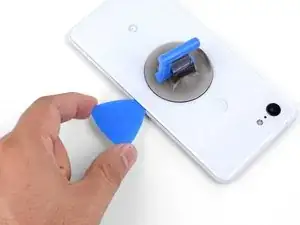
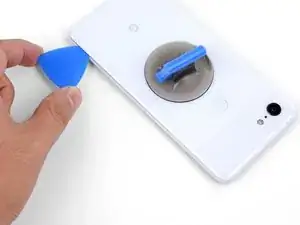
    • Appliquez une ventouse sur le bord chauffé de la coque arrière, aussi près que possible du bord.

    • Tirez fortement et constamment sur la ventouse pour ouvrir un espace.

    • Cette étape peut être difficile suivant l'âge du téléphone. Si vous avez du mal, refaites chauffer le bord et essayez de nouveau.

    • Insérez la pointe d'un médiator dans l'espace.

    Suction cup doesn’t work on severely cracked glass.

    Jeffrey Kongthong -

    Step 1 - 2 took me about 50 minutes. Back and forth with heat and trying with suction cup. I could get my finger nail in but not the pick. Took two people, but we finally got a pick in. 2 year old phone.

    Andrew Messier -

    Took about 15 minutes and three total attempts. On the third attempt, I also used a thinner, metal, pick to widen the gap just enough for the plastic pick to fit (Though be careful as you can easily break it with a metal pick). The phone is three years old.

    Hotohori -

    Could not get in with the pick or in from the side. Targeted the bottom of the phone with the iOpener and managed to gently create some space for the pick with the opener tool.

    Daniel R. -

    I also struggled here for a while. I ended up working my way around the entire edge of the phone until I found one spot where I could pry up the back panel. I used a jimmy instead of the opening pics. I also used a hairdryer on lower heat instead of the iopener. 3 year old phone.

    Bryan Wethington -

    Took 30 minutes + to get the back cover off. Used another suction cup to grip from the busted screen and the ifixit suction cup for the back. A thinner Acoustic guitar pick was required opposed to the standard Blues picks provided in the kit (har-har). Would HIGHLY suggest getting a pick into both the back and the front before removing the panels as it will give you more surfaces to pry from. Made that mistake...

    Brian Sommer -
    Over 2 hours of trying, I keep reheating the pouch and let it sit on the edge for sometimes up to 10 minutes since the directed 1 minute wasn't working. Physically cant get enough leverage on the back of the phone; picks are too thick to get under the crack, and the suction cup pops off before I can get enough force to see any gap open. Phone is 5 years old. I really need some help

    Grant Cooper -

    Hey Grant!
    I hear your pain—the adhesives on this phone are very strong. The initial gap is one of the hardest parts of the procedure. Here are some suggestions:
    * If you have a hair dryer, give that a shot. Heat the edge until it is slightly too hot to the touch.

    * These adhesives separate not with extreme force, but with constant steady force and time. Try heating the edge and pull on the suction cup with firm force for about a minute to let the adhesive separate.

    * If you have an opening tool, you can try this procedure to get the initial gap.

    Arthur Shi -

    Need a guide for if the back glass is broken!

    Lazybagel -

  3. ecDEBpnvfOTcMLZ2
    ecDEBpnvfOTcMLZ2
    2uOnUFqafrCYXyEN
    p51ClEsXXIXPIR4Z
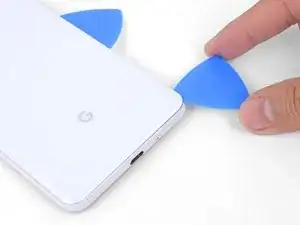
    • Faites glisser le médiator le long du bord droit pour y trancher l'adhésif.

    • L'adhésif durcit en refroidissant. Si cela vous arrive, refaites chauffer le bord pour faciliter la tranche.

    • Une fois que vous avez tranché le bord, laissez un médiator dans la jointure pour empêcher que l'adhésif colle à nouveau.

  4. KQZNiMIXEoEv3sQA
    • Appliquez un iOpener chaud en bas de la vitre arrière pendant une minute.

  5. gBLNTMRXodCAlNJR
    gBLNTMRXodCAlNJR
    Vbq4vFubRlSHJKRY
    4UK5LbKHwIXueBJp
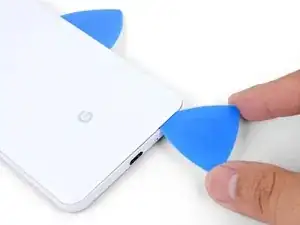
    • Servez-vous d'un médiator pour trancher l'adhésif le long du coin inférieur droit, puis le long du bord inférieur du téléphone.

    • Progressez lentement autour du coin pour éviter de fissurer le panneau. Si vous commencez à avoir du mal, refaites chauffer.

    • Laissez un médiator dans le coin pour empêcher l'adhésif de recoller.

  6. K1DNALhsFYem6WuY
    K1DNALhsFYem6WuY
    2FCl2jg2ZVTGSvUm
    IXQXmHMoJGXm3PXr
    • Continuez à faire chauffer et à trancher les bords restants.

    • Faites attention en tranchant le long du bord gauche du téléphone. Si vous avez l'impression que le médiator reste coincé en haut, il se peut que vous ayez heurté le lecteur d'empreintes digitales. Rapprochez légèrement le médiator de la jointure et recommencez.

    • Assurez-vous de trancher à travers les portions d'adhésif plus épaisses en bas et à droite du téléphone.

    The back cover is Glass!!!!. DO NOT PRY HARD, IT WILL BREAK!!!!!!!

    You must go slowly and let the heat do the work, if you force the cover off, it will shatter.

    Paul Bernstein -

  7. USkM2UJmmdDVnTmv
    • Soulevez délicatement le bord droit de la coque arrière.

    • Servez-vous d'un médiator pour trancher tout reste d'adhésif sur le long des bords.

  8. 1nxmI4hs2Gymfag5
    1nxmI4hs2Gymfag5
    M4kcSI5plQnJtuT1
    MBJ2GPSSE3RnNtLF
    • Soulevez le bord droit de la coque arrière, retournez-le et posez-le à gauche du téléphone.

    • Veillez à laisser du mou à la nappe du lecteur d'empreintes digitales et à ne pas la coincer.

    • Quand vous effectuez le remontage, c'est le moment d'allumer votre téléphone et de tester s'il fonctionne avant de le refermer. Veillez à le rééteindre complètement avant de continuer votre travail.

    • Lors du remontage, consultez ce tutoriel pour poser les bandes adhésives coupées sur mesure de votre coque arrière.

    Reassembly is way harder. The adhesive guide is generic and not super helpful, so don't be surprised if things went smoothly until you get to this step and then everything starts sticking to things its not supposed to.

    Christopher Trimby -

    This is great but how you address that fact that the phone is tied to a particular fingerprint sensor and after replacing, the new sensor is not recognized by the original phone?

    Dave -

    Hi Dave!

    There's a software calibration tool that you can use to calibrate your new fingerprint sensor. I've updated this step to include a link to the tool.

    Arthur Shi -

    I have a pixel 3 xl and I can't get the tool to work. I finally got the driver's installed after several hours and it says it's for pixel 6 and up basically. So I tried the other option and it's basically saying to do a factory reset? Did I mess something up on the install or what am I doing wrong here? Thanks

    Cody L Paulsell -

    Uhhh

    So, apparently the connector on the motherboard for the fingerprint sensor is just ridiculously fragile, because after plugging and screwing everything in (pretty much reassembled except for the adhesive), I closed up the phone and powered it on to test if everything was working, and when I opened it back up and let the top hang off to the side, it just snapped off. I didn't even have it tensioned that much, it was just hanging off to the side and snapped. So now I've traded a non-functional camera with a non-functional and irreparable (unless I get a new motherboard) fingerprint sensor.

    The guide really ought to emphasize how delicate that connector really is. I have a google drive link here to a photo of the remnants of my poor fingerprint sensor connector :( link

    Mindle -

    Wasted a ton of time and effort (and money) trying to use this guide to repair my Pixel 3XL. Then I get to the software calibration tool and find:

    Unsupported device

    This is not a compatible device. Only Pixel 6, 6 Pro, 6a, 7, 7 Pro, 7a devices can install this software.

    I cannot say how frustrating it is when a guide and website that tried to be so helpful ends up like this. Failure due to referencing tools not on the site and not suitable for the job.

    Ross Chesley -

    I too want to stress just how sensitive the fingerprint sensor cable is. Be sure you are only lifting the back away a very small amount until you are able to disconnect the cable. I thought I was being careful and ended up still putting a small tear in the cable!

    The good news is that a replacement sensor is well under $10 shipped. Also, I'm not sure why this guide recommends the use of the software tool.

    It is not compatible with the 3XL (and I'm not sure it ever was). I had some reservations when I read this when I had to replace my sensor, but I found comments else where stating that nothing was needed. Sure enough, when I got my new sensor installed, it worked with no issues. I didn't need to calibrate, or reset my device. I just needed to set my fingerprints up again.

    Ben H -

  9. 66BxIa114CvPBDXF
    • Prenez une pincette pour décoller et enlevez soigneusement le morceau de ruban adhésif jaune qui recouvre le connecteur du lecteur d'empreintes digitales.

    This step is utterly unnecessary. It achieves nothing, and the tape is there for a reason (I'm not sure why, maybe to prevent short circuits). I didn't remove this tape while disassembling and it didn't change anything.

    Krzeszny -

    The Kapton tape should adhere to both the cable and the connector. It helps prevent the cable from slipping out of the ZIF connector. You're right in that you don't have to completely remove the tape—I've adjusted the step to reflect this.

    Arthur Shi -

    I just finished this guide, thank you. It would be nice to have a "before ribbon removed" reference picture that's also without the Kapton tape in place if possible. I was no longer certain how far back into the ZIF connector I had to place the ribbon cable as I simply forgot what it looked like before removing it. Basically, it "felt" like it was out too far, but since I had no reference I couldn't compare. Step 10 has good close up pics, but the ribbon cable is already out a bit so a bad reference.

    teknomedic -

  10. sIaa2bIVcTWtgVNZ
    sIaa2bIVcTWtgVNZ
    kljONWUpcx2eLE4p
    syrHkK1ndwxqPAh2
    • Prenez la pointe d'une spatule (spudger) pour retourner délicatement le clapet noir de la prise ZIF du lecteur d'empreintes digitales.

    • Saisissez la languette de la nappe avec votre pincette ou vos doigts et sortez délicatement la nappe de sa prise.

    • Pour éviter les courts-circuits, veillez à ne pas toucher les contacts en métal de la nappe avec votre pincette.

  11. KOLMNRDZQHXDXx2H
    • Retirez la coque arrière.

  12. ZRoNSKDIlMf5W2Yh
    • Dévissez les quatre vis T3 suivantes qui fixent le cache en métal :

    • Trois vis de 4 mm de long

    • Une vis de 3 mm de long

    • Tout au long de la réparation, gardez la trace de chaque vis et assurez-vous que chacune d'elles revienne à son emplacement d'origine.

    Be careful when putting the screws back in that you do not over tighten. This will cause you to destroy some pixels on your screen.

    Brian Retterer -

    The long screw on my disassembly was adjacent to the lettering for the Qi inductive receiver, and not close to the silver exposed part of the battery as indicated

    Andrew Munro -

    In my case, all the screws are the same length.

    Krzeszny -

  13. iMjRoXXfrrJG6TTj
    iMjRoXXfrrJG6TTj
    EbGvs3NuseOA34IT
    • Faites levier avec l'extrémité plate d'une spatule (spudger) sous le bord droit du cache en métal pour détacher celui-ci.

    • Retirez le cache en métal.

    There is a small adhesive pad under the metal bracket, between the two middle screws that will provide some resistance when lifting the metal cover bracket

    Andrew Munro -

  14. 2FT5FhK5JAiFdDI6
    2FT5FhK5JAiFdDI6
    Ll1pjbf2FDCAQSUM
    Q2TwemRwJ1F5JGut
    • Servez-vous de la pointe d'une spatule pour soulever et débrancher le connecteur de la batterie de sa prise.

    • N'utilisez pas d'outils métalliques pour débrancher la batterie, vous risqueriez de court-circuiter la batterie.

    • Repliez la nappe de la batterie de façon que le connecteur ne risque pas de toucher la prise.

  15. FxnPXw2vGkLrtRQO
    FxnPXw2vGkLrtRQO
    FOfsKEE2OeHdtwHw
    • Faites levier avec la pointe d'une spatule pour débrancher le connecteur de la bobine de sa prise sur la carte mère, à côté du bord droit du téléphone.

  16. dFmoE2oZYbWXGgUf
    dFmoE2oZYbWXGgUf
    NUjMMOTZk23TbIGc
    iZVVhoTpTDaMpEbU
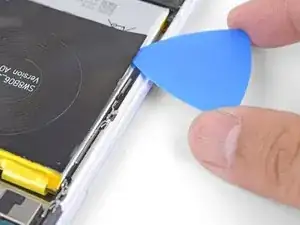
    • Insérez la pointe d'un médiator sous un bord de la bobine de charge.

    • Faites glisser votre outil le long du bord pour faire céder l'adhésif.

    • Tranchez aussi profondément que possible en faisant attention à ne pas percer la surface de la batterie.

    This step is completely not needed. The new battery already had a coil attached so i didn’t need to remove the coil from the old battery.

    Mike Moffit -

    ^ Not in my kit.

    Go slow, don't rush this one. It is harder than the case (at least for me)

    Christopher Trimby -

    My kit also did not come with a replacement coil or adhesive. Any suggestions on what to do here? Could I use adhesive strips to re attach the coil?

    Glendon sowder -

    Pretty much the moment I stuck the pick under mine it ripped the coil. Be very very gentle if you want to keep the wireless charging functionality. Maybe even start with some isopropyl. Ended up putting the phone back together without it attached.

    Frank -

  17. mYxCHnqChuLsYPTC
    mYxCHnqChuLsYPTC
    xRRqsGxGeBEhOoE6
    • Soulevez le bord que vous avez décollé.

    • Maintenez le téléphone incliné et appliquez quelques gouttes de dissolvant ou d'alcool isopropylique à haute concentration le long du bord.

    • Laissez le téléphone dans cette position pendant une ou deux minutes pour permettre à l'adhésif de ramollir.

  18. PFjAfwTW4SIxL1dc
    PFjAfwTW4SIxL1dc
    b45lPre2jJPALAlw
    WkAcBkXw2OpQPWwQ
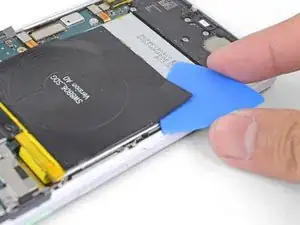
    • Insérez un bord plat de médiator sous un coin de la bobine de charge.

    • Poussez-le lentement et fermement sous la bobine pour faire céder l'adhésif.

    • L'adhésif est concentré sur les bords de la bobine de charge. Servez-vous du médiator pour le trancher.

    • Si vous avez du mal à progresser, inclinez le téléphone et appliquez quelques gouttes supplémentaires de dissolvant.

  19. BRHvrJqJYPPYy2Sa
    • Retirez la bobine de rharge sans fil.

    • Pour installer une bobine de remplacement :

    • Veillez à nettoyer la surface de la batterie de toute trace d'adhésif. Faites très attention à ne pas la percer.

    • Branchez le connecteur de la bobine à sa prise sur la carte mère. Ainsi, vous pourrez aligner correctement la bobine.

    • Décollez les films adhésifs de la bobine.

    • Posez la bobine sur la batterie et appuyez fermement dessus.

    This step is a bit out of place. It is only relevant if you are replacing the charging coil and keeping the old battery.

    Michael Stember -

    My kit did not come with adhesive for the coil. So check for that before you begin.

    Christopher Trimby -

    My kit also did not come with adhesive for the coil. Where can I buy the replacement coil or the adhesive to reinstall the old coil?

    Glendon sowder -

Conclusion

Pour remonter votre appareil, suivez ces instructions en sens inverse.

Apportez vos déchets électroniques à un recycleur certifié R2 ou e-Stewards.

La réparation ne s’est pas déroulée comme prévu ? Consultez notre communauté de réponses pour obtenir de l’aide au diagnostic.

Arthur Shi

Membre depuis le 03/01/18

271465 Réputation

0 commentaires